

Site selection software for comparing locations before you commit
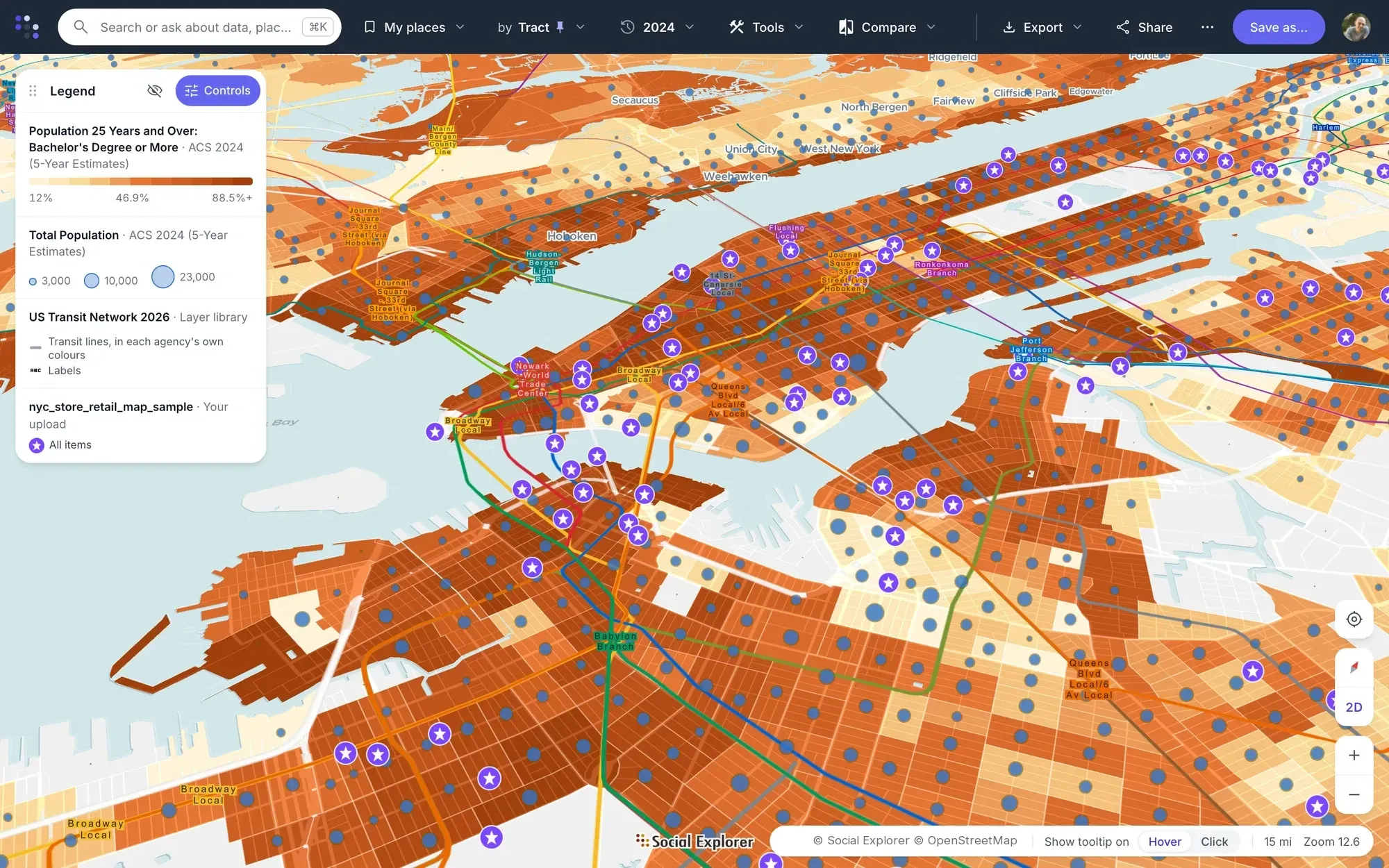
Social Explorer is site selection software built on census and market data. Screen a whole region on the demographics that drive your business, put your own and competitors’ locations on the map, and compare the shortlist side by side.
How site selection works in Social Explorer
-
1
Search
Find any market by address, city, county or ZIP code, and see the data at the geography you need, down to the census block group.
-
2
Filter areas by criteria
Screen a whole region at once. Stack as many criteria as you need, such as median household income above $85,000 or population growth since 2010, and match all, any or none of them.
-
3
Upload your data
Add a CSV of your own or competitors’ locations. The geocoder places US street addresses, and you can style markers or bubbles by any column.
-
4
Side by side and swipe maps
Compare two candidate trade areas on the same variables in one view, with panning and zooming linked.
-
5
Create a report from the map
Turn each shortlisted site into a report and export it to Excel, CSV or PDF.
The data behind it
Part of a library of 610,000+ variables, each one with its source.
- EASI Market Profile data Commercial estimates for 2010 and 2020–2025, with projections to 2030
- American Community Survey, 5-year estimates Down to census tract and block group
- County Business Patterns Businesses and employment by industry
- Decennial Census Long-run trends for context
Good to know
- Uploads are CSV files of point locations, and the geocoder works with US street addresses only.
Tools for this work


Questions about site selection software
What is site selection software?
Site selection software compares candidate locations on the data that matters for a site, such as the people, incomes and businesses around it. Social Explorer does this with census, American Community Survey and EASI Market Profile data: screen a region by your criteria, map your own and competitors’ sites, and report on each one.
What data matters for site selection?
It depends on the business, but most site decisions weigh population and growth, household income, age, the local workforce and nearby businesses. Social Explorer has these from the American Community Survey down to block groups, EASI Market Profile data and County Business Patterns, beside your own CSV of locations.
Can I compare sites side by side?
Yes. In Social Explorer, draw a trade area around each candidate by radius or drive, walk or cycle time, and each becomes a column in one report, with the ZIP, county or state beside it. Side-by-side and swipe maps show two candidates on the same variables, and Find similar areas lists places most like your best sites.
Can Social Explorer predict how a new site will perform?
No. Social Explorer describes the places around a site; it doesn’t forecast sales. Find similar areas scores how alike places are on the measures you choose, and Correlate with area data shows how your existing sales or visits move with their neighborhoods, which you can weigh in your own model.
Other solutions
- Market analysis Trade area analysis: size a market and track how it is changing.
- Community needs & grants Build citable evidence of need for a grant or program.
- Data storytelling Turn a question into an interactive map or story.
- Equity analysis See which communities carry the heaviest burdens.
- Planning & policy Understand who lives where and how that is changing.
- Community change Show how a place has changed, with comparable data across decades.
- Census data Every census since 1790 and the latest American Community Survey, ready to map and analyze.
Try it on a place you know
In a live demo, we’ll show you how it fits your team or campus.